IPTV versus an aerial: what UK households need to know
You pick up the remote on a wet Tuesday evening, and the aerial signal breaks up just as something decent starts. It happens in a lot of homes — a loft aerial that works well enough most of the time, until it doesn't. At that point, IPTV starts to sound interesting, but the name alone can make it feel more complicated than it really is.
This guide sets out what each option actually does, corrects a few assumptions that come up again and again, and helps you decide whether a switch — or a mix of both — makes sense for your household.
Frequently asked questions
- Do I need to cancel my broadband or get a new contract to use IPTV?
No. IPTV runs over the broadband connection you already have at home. There is no separate contract, no installation, and no changes to your existing internet service.
- Can I use IPTV on more than one device at a time?
That depends on the plan you choose. The available plans are listed on the service's landing page, and they vary in how many simultaneous streams they allow.
- Will I still receive the main BBC and ITV channels through IPTV?
An IPTV service typically includes the main UK channels alongside a much wider selection. Check the channel list for the specific plan before subscribing to confirm the channels your household watches most.
- What happens if my internet goes down — will I lose all TV?
If your broadband drops, an IPTV stream will stop, yes. That is why some households keep an aerial alongside IPTV — the aerial continues working independently of the internet connection.
What an aerial does and where it falls short
A rooftop or loft aerial picks up broadcast signals sent over the air by transmitters around the country. The picture arrives free once the hardware is in place, and you do not need an internet connection for it. That is a genuine advantage in some homes.
The limits, though, are real. Signal strength depends on where you live, how the aerial is positioned, and what is between your home and the nearest transmitter. A large building going up nearby, a neighbour's extension, even heavy rain can all degrade the picture. You are also tied to whatever channels happen to broadcast over the air — the selection has not grown much in years, and many channels available on the internet simply do not exist on a terrestrial signal.
Aerials also lock the viewing to whichever room has a socket. Running a second feed to a bedroom or a kitchen usually means more cabling or a signal splitter, both of which can reduce quality further.
What IPTV actually is
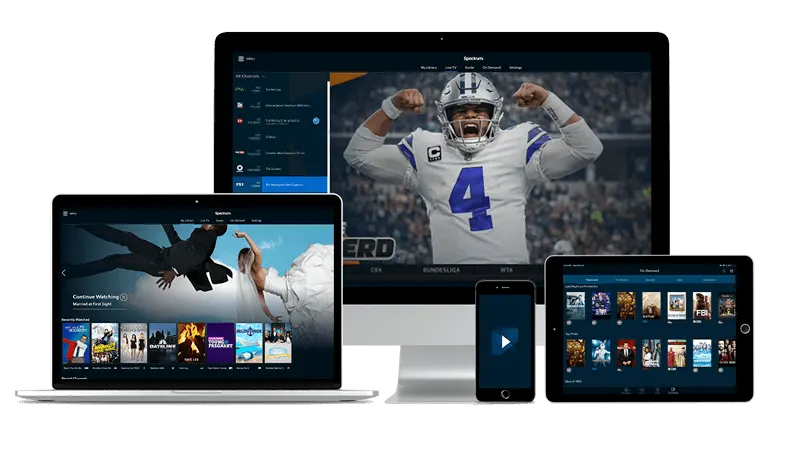
IPTV stands for Internet Protocol Television. The short version: television channels delivered over your home broadband connection rather than through a transmitter in the air or a dish on the wall. You need a working internet connection, a compatible device, and an app to receive the stream.
The device side is broader than many people expect. Android phones and tablets, Fire TV Stick, Apple TV, Samsung and LG smart TVs, and Windows or Mac computers can all carry an IPTV app. For a living-room setup without a smart TV, a Fire TV Stick plugged into any screen with an HDMI port does the job. Apps such as IPTV Smarters Pro or TiviMate handle the channel list once you have your login details.
If you are curious about how apps reach a smart TV in the first place, how app stores work on smart TVs is worth a read before you start.
There is no dish to fit and no cable contract to sign. The service runs entirely over the broadband you already have at home.
Three assumptions worth correcting
'An aerial is always more reliable.' A strong aerial signal in a well-placed home is very stable, that is true. But in a mid-terrace or a flat several floors up, the signal can be inconsistent in a way that a wired broadband connection is not. IPTV quality is tied to your internet speed and stability, not to geography or the direction your roof faces.
'IPTV is only for tech-savvy people.' Setting up a Fire TV Stick or opening an app on a Samsung TV is not more demanding than programming a standard aerial box. You receive login details by email after payment — typically within a few minutes — and you enter them into the app once. After that, changing channel works the same way it always has.
'You have to choose one or the other.' Nothing stops a household from keeping an aerial for free-to-air viewing and using IPTV alongside it for a wider range of channels. Many people do exactly that. The aerial handles the basics; the internet service fills the gaps — sport, international channels, and content that never appears on a terrestrial signal. If you want a sense of what that wider sports offer looks like, Champions League football available without complicated setup is a practical example.
What your internet connection needs to handle
The most common concern is whether home broadband can cope. For standard HD viewing, a modern home connection is almost always sufficient. Problems tend to come not from the broadband speed itself but from Wi-Fi distance — a router in the hallway serving a TV at the far end of a house can produce buffering that the connection speed alone would never cause.
A few things that make a noticeable difference:
- Positioning your router so the signal reaches the room where you watch most often, or using a powerline adapter to extend the network.
- Connecting the streaming device by ethernet cable rather than Wi-Fi where the socket is accessible.
- Restarting the router if a stream that was running smoothly suddenly starts to stutter — this clears most short-term connection issues without any further action.
Aerials have no equivalent of these variables. That is a point in their favour for viewers who want zero maintenance. IPTV, on the other hand, can be watched on a phone while travelling, or on a tablet in a room that has never had an aerial socket. The flexibility is different in kind, not just in degree.
Making a decision for your home
If your aerial signal is reliable, your free-to-air channels cover everything you watch, and you have no interest in sport or international content, keeping things as they are is entirely sensible. The aerial does not need a subscription.
If your aerial is unreliable, you want more channels than it can carry, or you want to watch in rooms that have no aerial point, IPTV fills those gaps without any installation work. For a household with a mix of devices — a smart TV in the living room, a tablet used in the bedroom, a laptop that travels — the IPTV UK home page is worth a look to understand what a subscription covers and how to get started.
The two options are not in competition so much as they serve different things. An aerial is infrastructure that is already in many homes. IPTV is a service that runs on infrastructure most homes already have too — their broadband. The choice often comes down to what you want to watch, not to which technology is inherently better.